How the Family Arcade works
The Family Arcade is a set of browser games your family plays, on its own devices, together or alone. This page starts with the arcade itself, then playing together, then how families make their own games and share them.
The arcade at familyarcade.eu
Section titled “The arcade at familyarcade.eu”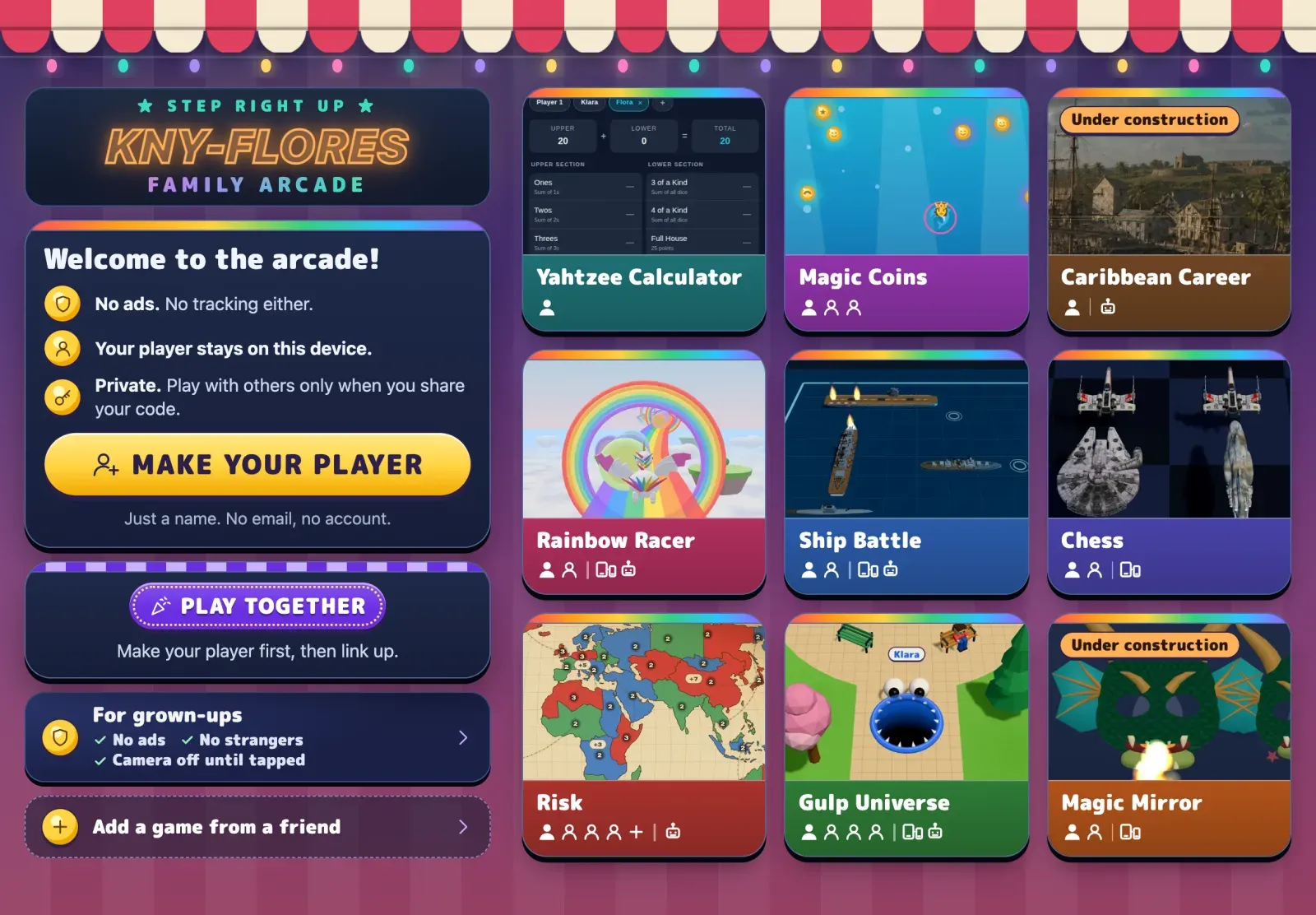
familyarcade.eu is a web app. Open it in a browser on a phone, tablet or computer. On an iPad, you can add it to the home screen. Then it works like an app, even offline.
- Players are made on each device. The device’s browser saves a name, tickets, wins and recent games. There are no accounts.
- Games are tiles on the home page. Some are for one player, some for a few players on one device, some for one player per device.
- Play together links phones and tablets with four letters. A game can invite the others. Up to four devices can connect.
The arcade’s games are made by one family, and they come with the arcade.
Playing together across homes
Section titled “Playing together across homes”Two devices connect with a four-letter code:
- One device asks a free matchmaking service called PeerJS to hold the code.
- The other devices type the code. PeerJS introduces the devices to each other.
- From then on, the game’s data travels directly between the devices. It uses the same technology as video calls (WebRTC).
The matchmaking service and two small public helpers from Google and Twilio only help devices find each other. They never see names, moves, video or voice. It works across homes and countries. A few strict networks, such as some school and office networks, block it.
The device that made the code runs the game. The others send what their player does and get back what happens.
Making and sharing a game
Section titled “Making and sharing a game”- Copy the starter. On GitHub, the game starter is a template. Choose Use this template to make your own copy. It starts as an empty home page for your game, with Play together already working.
- Build with an AI helper. Claude Code reads the starter’s rules and writes the code you describe. Claude leaves each change for you to merge. Merging means choosing to add that change to your copy of the game.
- It goes on the web by itself. Every merged change is tested, built and
published to your own address, such as
https://your-name.github.io/dragon-dash/. GitHub hosts it for free. - Share the link. Anyone you send it to can play it, alone or together with a code.
- Add it to the arcade. In the arcade, tap Add a game from a friend and paste the link. The game becomes a tile on that device.
Nothing in this needs our server. Your game lives in your GitHub account. The arcade only remembers its link on your device.
Arcade kit in each game
Section titled “Arcade kit in each game”Every game made from the starter has a small folder, src/arcade/, called
the kit. It is the only part of a game that knows about the arcade:
- Who is playing. The arcade hands over the player’s name and colour when it opens a game. If it does not, the game asks “Who’s playing?”.
- Saving. Scores and progress stay in the browser, per player and game.
- Playing together. Making and joining codes, for up to four devices.
- Back to the arcade. A button that returns to where you came from.
The details are in Arcade kit reference.
Opening a friend’s game
Section titled “Opening a friend’s game”When you tap a friend’s game, the arcade opens its website. It puts the player
information in the link after a #:
https://cousin.github.io/dragon-dash/#arcade=eyJ2IjoxLCJuYW1lIjoiS2xhcmEi…The part after # never leaves the browser. Websites do not receive it. The
game reads the name and colour, removes them from the address bar and shows
“← Arcade” so you can go back.
Hosting locations
Section titled “Hosting locations”| What | Where |
|---|---|
| The arcade | familyarcade.eu, a server in Germany (Hetzner, Falkenstein) |
| This guide | learn.familyarcade.eu, the same server |
| A family’s game | that family’s GitHub Pages |
| The starter’s code | GitHub |
| Players and saves | the browser on each device |
Features that may come
Section titled “Features that may come”- Accounts for parents, so a family’s players and saves follow them across devices.
- Friends without codes: link two families once, then invite each other.
- A public gallery of games, checked before anything is listed.
- A benchmark: a public ranking of how well AI models do at the parts of making a game: concept art, 3D models and game mechanics.