3D graphics for your game
This page shows how we make 3D for the Family Arcade’s games and keep it smooth on a tablet. It asks more of the grown-up: one part needs a program on a computer.
Three ways to make 3D
Section titled “Three ways to make 3D”Start with the first.
Shapes in code. Claude builds simple props and worlds from balls, boxes and cones, with three.js: free code for 3D in a web browser. It is bundled inside the game, loads fast and works in Claude Code on the web.
Models made in Blender. Blender is a free program for making 3D models. Claude builds the model in it, and you put the file in your game. Use it for anything soft or with moving joints, such as a character or a ship.
Free kits. Some makers give away ready-made scenery and characters. We recolour them to the game’s colours. Kits suit scenery best. See “Use only art you may use” below.
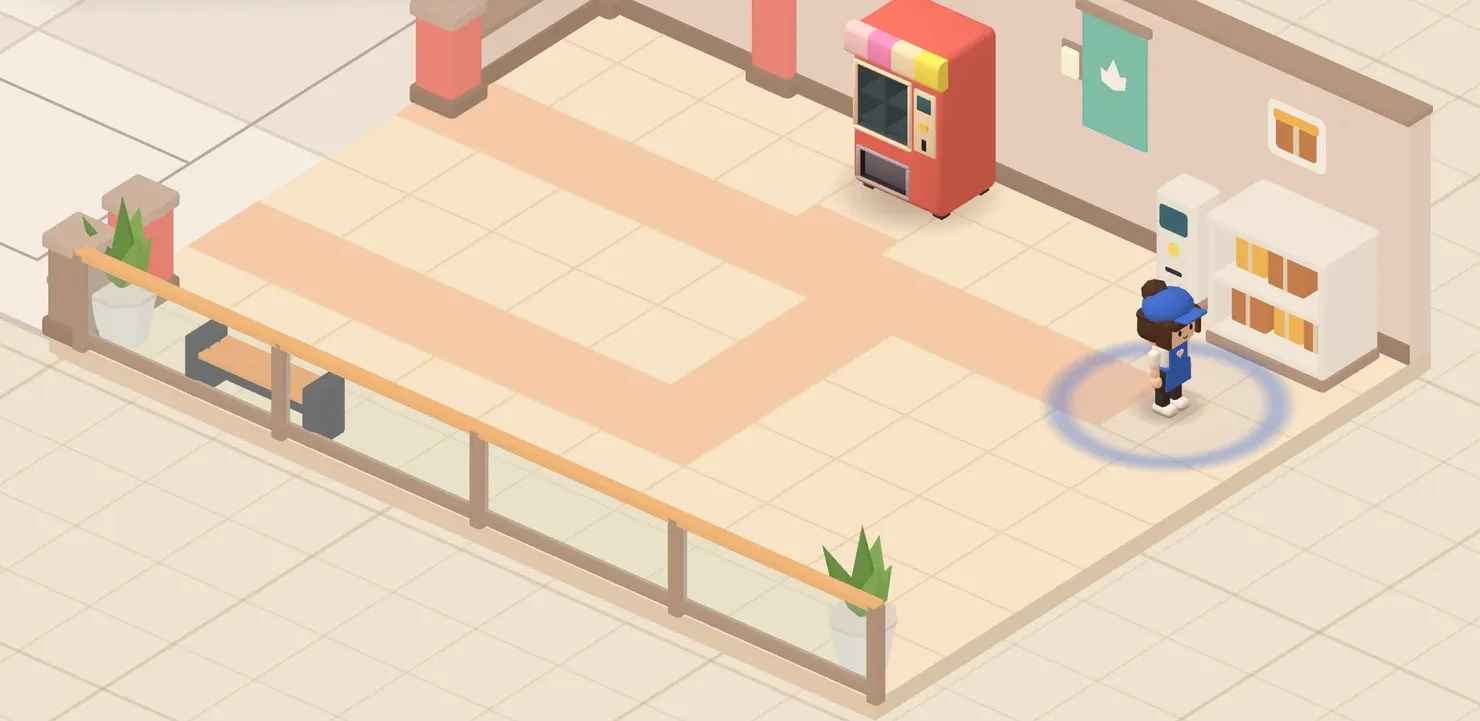
Coin Corner uses two ways. The mall is shapes in code. The shopkeeper, shoppers and vending machine are Blender models.
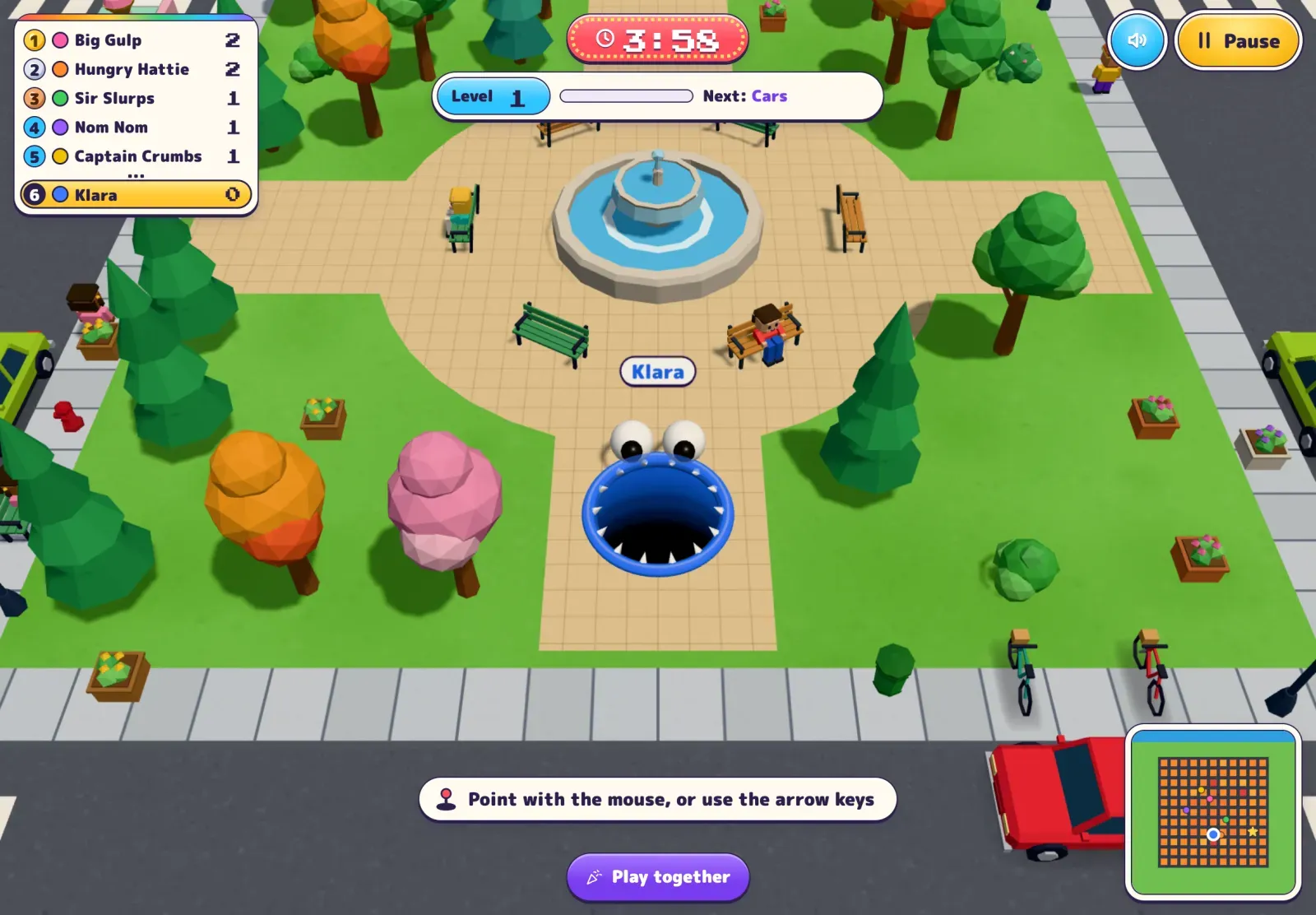
Gulp’s whole city is shapes in code.
A 3D shape is made of small flat triangles. Fewer triangles draw faster, so ask for a limit:
Shapes in code have limits. Simple props come out well, but characters and curved things look like boxes. Our first try at a warship came out as a flat slab with a stick for a mast.
Decide the look first
Section titled “Decide the look first”Pictures of how a character should look are called concept art. We make ours in ChatGPT, on a grown-up’s account, with the child beside us. Nothing is built until your child picks a look.
Your child’s part:
- Draw the first shape on paper, for a photo.
- Name the character and pick four to six colours.
- Choose between two or three looks.
- Approve each picture before anything is built from it.
Start with a character sheet
Section titled “Start with a character sheet”Write its name, three things about its shape, its colours, and what it must never have. Reuse those words in every ask. Describe the look yourself, without naming famous characters, films or living artists.
Let your child pick
Section titled “Let your child pick”Ask for two or three looks. The picked picture is the reference for every later picture.
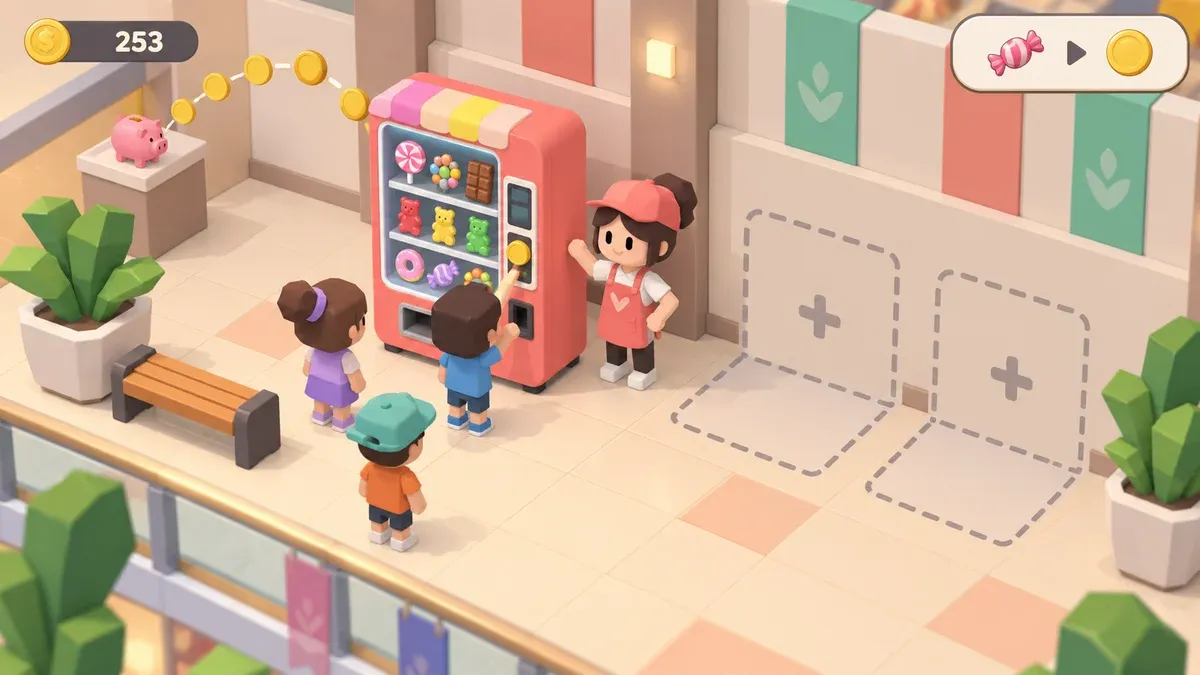
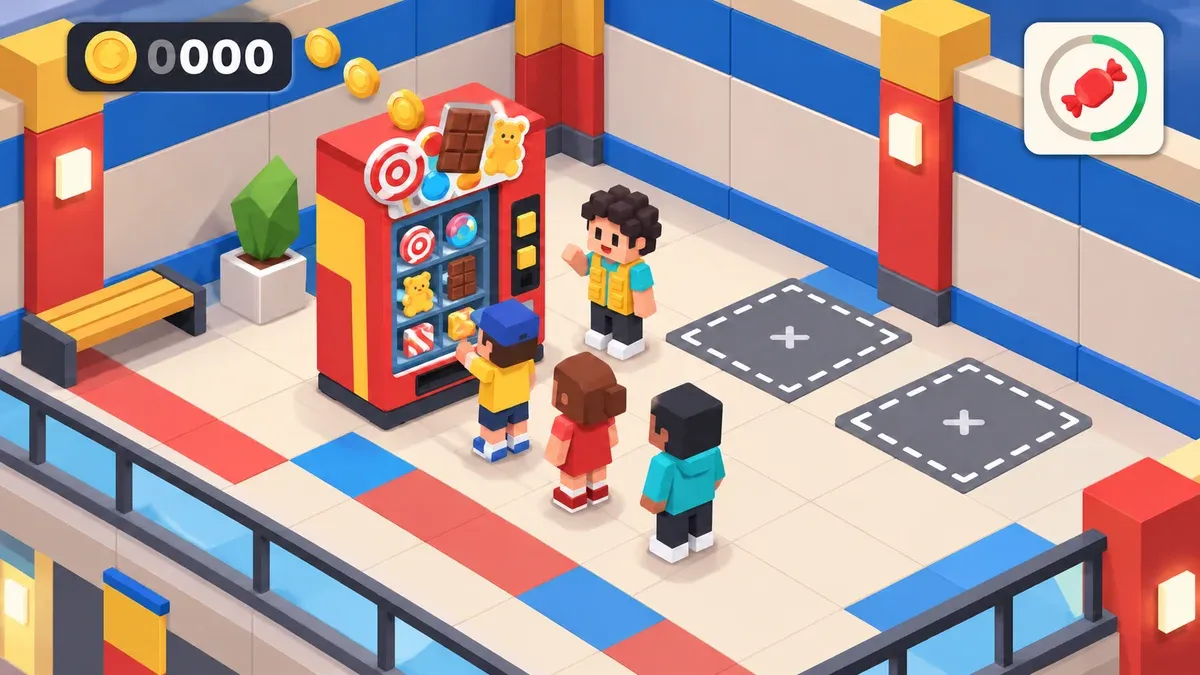
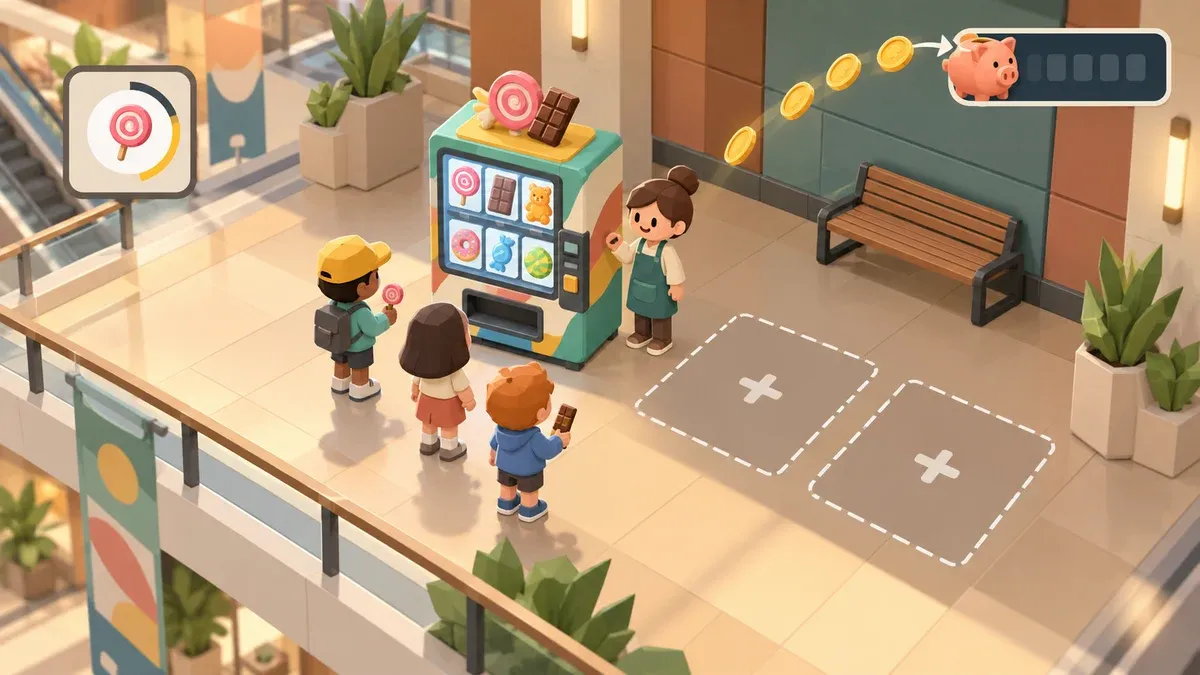
Three looks for Coin Corner. The family picked A.
Draw it at the game’s camera
Section titled “Draw it at the game’s camera”The game’s camera is the angle and distance the player sees. Ask for a picture of a whole scene from that camera, with room for the buttons and scores. That picture is the goal: we hold the game next to it. Keep the shapes simple and chunky, so a model can reach them.
Ask for every side
Section titled “Ask for every side”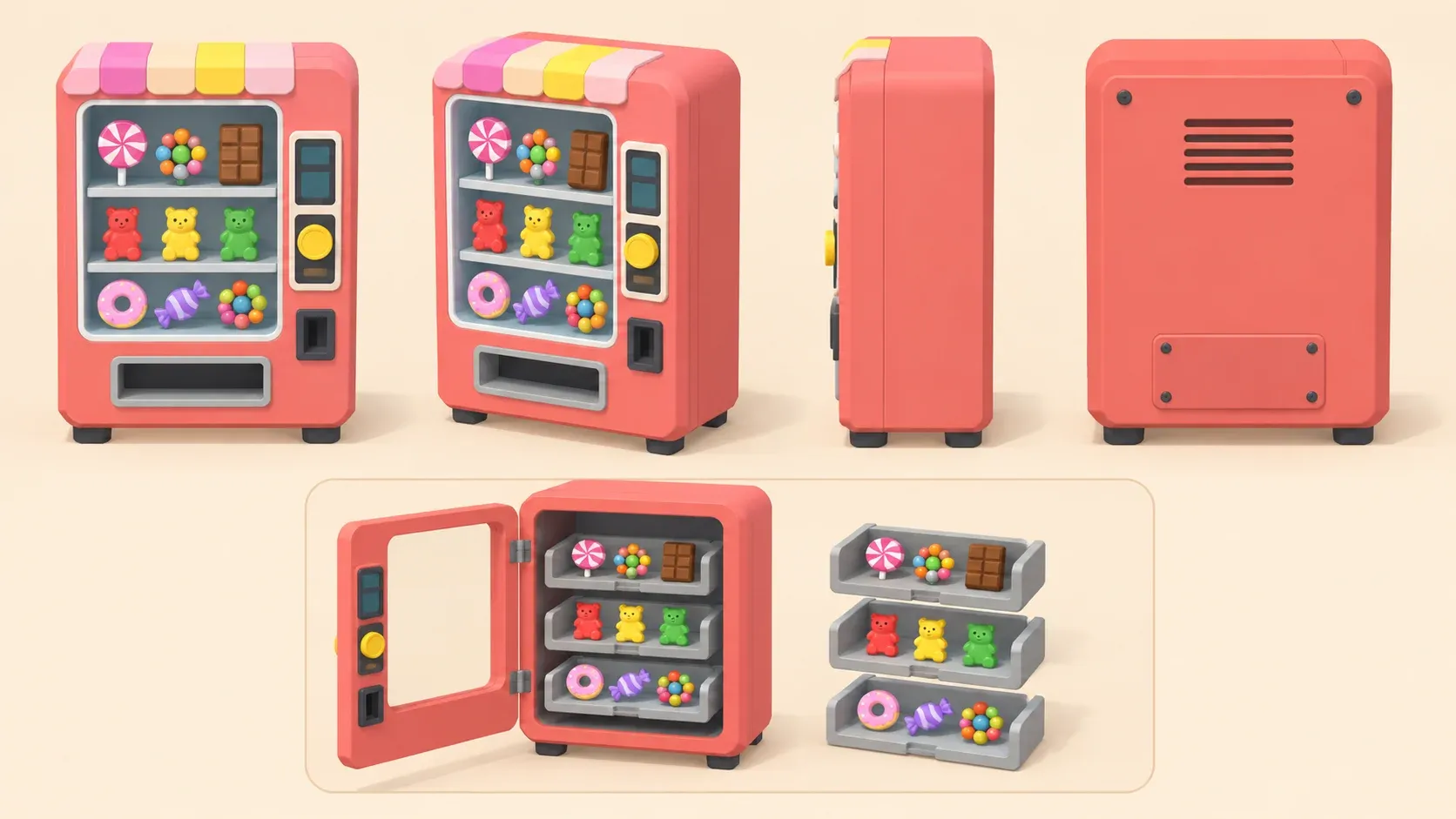
Concept art for Coin Corner’s vending machine, in the look the family picked.
If the views don’t match, ask for each on its own.
Concept art is a guide, not the finished model. The model keeps the shape and colours and leaves out small details. Cute comes from soft, round shapes, not more triangles.
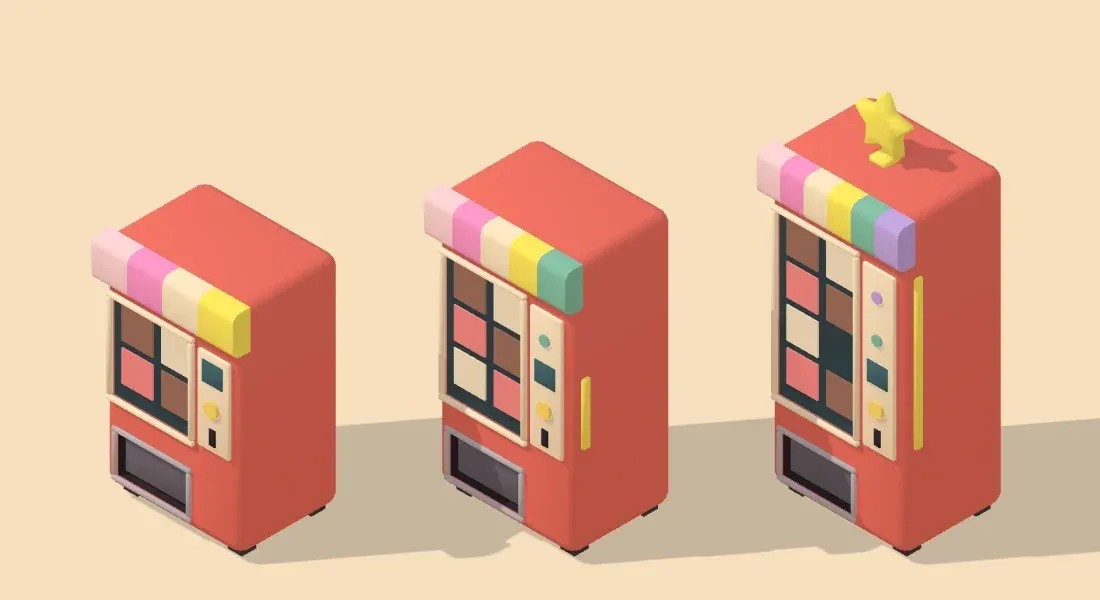
The machine as a model in the game.
Build a model in Blender
Section titled “Build a model in Blender”Claude builds a model in Blender with a script: a short program Blender runs with no window. The same script makes the same model every time, so one change leaves the rest as it was. Claude writes and runs it.
It runs on your own computer, with Blender installed. You need Claude Code on that computer: in the Claude desktop app with a Local session, or in a terminal. Claude Code on the web can’t reach Blender.
Set it up once
Section titled “Set it up once”-
Install Blender, free from blender.org.
-
Ask Claude Code on that computer to check it works:
With BlenderFind Blender on this computer. Run it with no window to make a cube and save a picture of it. Explain each step before you run it. -
Start a new session when you build the first model.
Build one model at a time
Section titled “Build one model at a time”-
Give Claude the picked concept art. Drag it into the desktop app, or give the file’s path in a terminal.
-
Ask for one part, from simple shapes:
With BlenderLook at the picture of Pip. Write a Blender script that builds only Pip’s head and body from rounded shapes, and name the parts. Run it, and show us pictures from the front, three-quarter, side and back on white, then wait. -
Look at every side. These pictures are called renders. On white, holes and gaps show up. Also look at one tiny picture, as small as the character is in the game. Your child compares each with the concept art.
-
Change one thing at a time, and say what must stay the same.
-
Save it as a GLB, one file with the model and its colours. Blender turns every face into triangles when it saves, so count the triangles in the GLB. Ask for few materials: a material is a surface’s colour and finish.
With BlenderGet Pip ready for the game: feet on the ground, facing forward, parts named, as few materials as you can. Export pip.glb, then make pictures from the GLB itself. Tell us its triangle count and file size. -
It is done only when pictures from the finished file look right. They catch what the first ones missed.
Put a model in your game
Section titled “Put a model in your game”The template’s first rule is nothing from other websites. So the model goes into your repository.
-
Open your game’s repository on GitHub.
-
Upload the model:
- Click Add file, then Upload files.
- Drag the GLB file onto the page.
- Choose Commit directly to the main branch.
- Click Commit changes.
The file alone changes nothing in the game yet.
-
In Claude Code on the web, ask Claude to use it:
Say or typeI uploaded pip.glb. Use it for the dragon, bundled with the game, and compress it to keep the file small.
A compressed model needs a decoder, a little code to unpack it. three.js includes one, so it stays inside the game too. The change goes live after the merge.
Keep it fast on a tablet
Section titled “Keep it fast on a tablet”A game that runs smoothly on a computer can stutter on a tablet. Keep 3D light from the start, and test on the real device.
- Fewer triangles. Each one is work for the tablet, in every frame.
- Fewer pieces. Each piece with its own material is a draw call: one job for the graphics chip, in every frame. Many pieces can cost more than many triangles. Join parts that move together, and paint the colours onto one material.
- Small files. Ship Battle’s ships are 160 to 760 KB each. Our compression tool cut a 97,000-triangle test model from about 3 MB to 77 KB.
- Simple light. Use one main light, like the sun, and a soft fill, such as three.js’s hemisphere light. A soft dark circle under a character is a cheap shadow. Add shadows and effects one at a time, and test each.
- Not every pixel. Tablet screens have two or three pixels per point. Our games draw at most two.
Coin Corner’s shoppers are about 2,000 to 2,600 triangles and one or two pieces each. All ten characters, with their movements, fit in one file of 208 KB. A check holds each under 3,000 triangles. Devices differ, so measure on yours.
When the game looks flat
Section titled “When the game looks flat”Raise the colour first. Ask for stronger, brighter colours before you add lamps or glow. Light is the last thing to fix.
Then look at what fills the screen:
- Fill the frame with the action, not with empty floor.
- Turn faces toward the camera.
- Put small props on every surface, and some close to the camera.
Hold the game next to the concept art at the same camera, and say what differs.
If a model looks much darker than in Blender, ask Claude to check the game’s colour handling with a middle-grey test.
Use only art you may use
Section titled “Use only art you may use”A licence is a maker’s rules for using their work. Use only models and pictures you made, or that a licence allows.
- No famous characters. Don’t start from downloaded models of famous characters, ships or vehicles, even changed ones.
- Free to use: the game packs of Kenney and Quaternius are free for any game, with no credit needed. Their licence is called CC0. KayKit’s free packs are CC0 too, but check each pack. Note the source anyway. Check a kit character’s triangles first: some have 7,000 or more, far above a tablet game’s budget.
- Credit when asked: some models are free if you credit the maker. Their licence is called CC BY. List the maker, model, source and licence in your game’s credits.
- Check each model. Free model sites often mix licences. Skip fan models, branded cars or ships, and anything without a licence. We use free packs only, and buy none.
Skills that help with 3D
Section titled “Skills that help with 3D”A skill is a file of instructions that Claude Code loads for one kind of task. Claude follows it with the access it already has. So a grown-up reads a skill before installing it, from a source they trust.
These three passed our check on 5 October 2026. They are free, use no paid services, and add nothing from other websites to the game. A skill can change after we checked it, so read it again when you install it.
- threejs-aaa-graphics-builder helps when your 3D looks plain. It aims high, so tell it the game must stay smooth on your tablet.
- threejs-debug-profiler helps when the game stutters or the screen stays blank. It measures first, then fixes the biggest cost.
- blender-image-to-3d builds a Blender model from your concept art in steps. After each step it shows pictures and waits for your OK. It works with or without the MCP server. Its usual sizes are for computer games, so give it your triangle limit.
The first two are from Majid Manzarpour’s three.js game skills. Install only these two: others in that pack use paid services when given a key. For Claude Code on the web, add them to your repository:
After the merge, every new session loads them. The third is from the same maker’s Blender game skills. It goes on the computer with Blender:
Then start a new session.